Command line interface
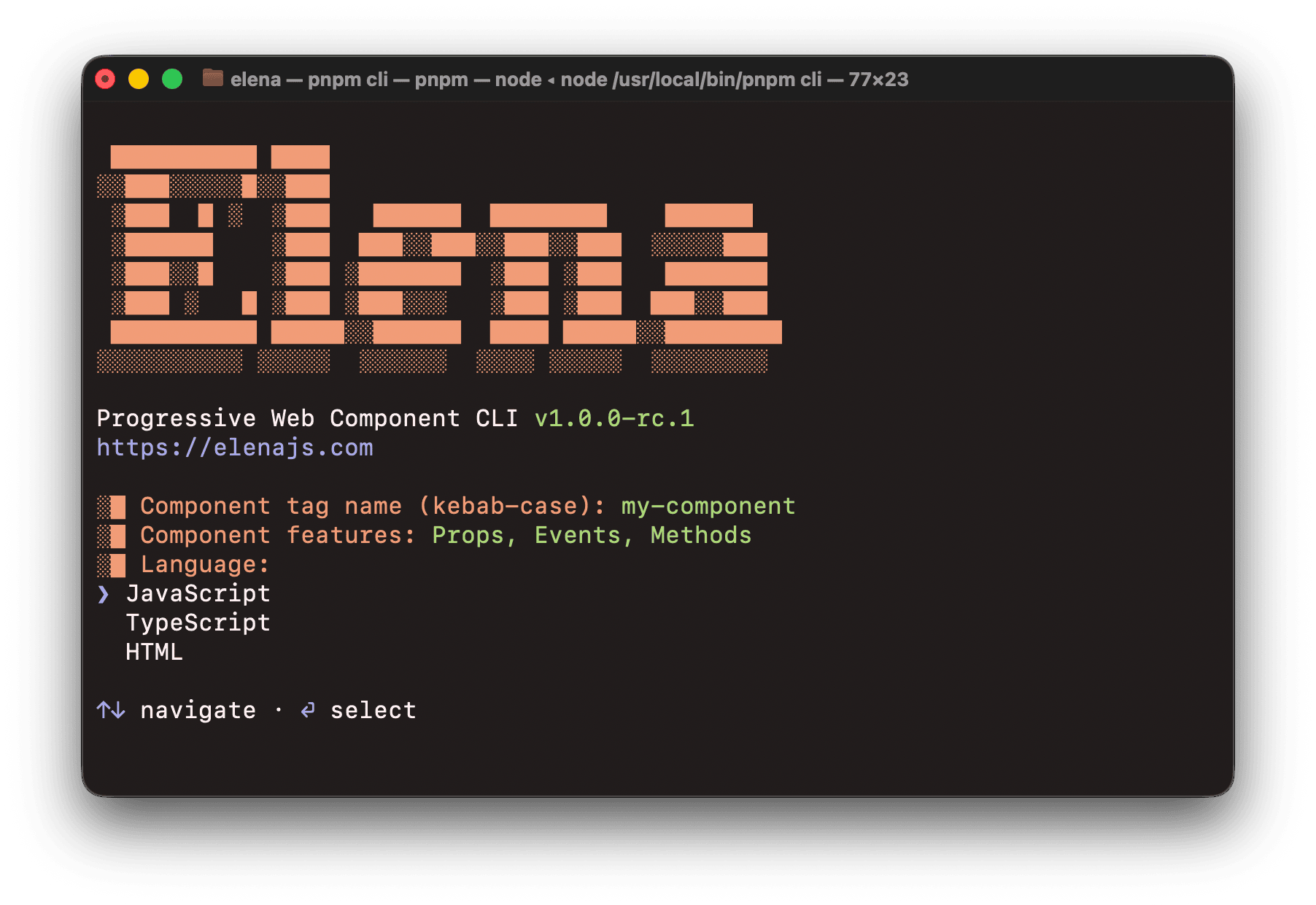
@elenajs/cli is an interactive command line tool for scaffolding Elena components. It generates JavaScript, TypeScript, or single-file HTML source files and scoped CSS with all Elena Progressive Web Component patterns pre-configured.
Install
sh
npm install --save-dev @elenajs/clish
yarn add --dev @elenajs/clish
pnpm add --save-dev @elenajs/clish
bun add --dev @elenajs/cliUsage
Interactive mode
Run without arguments to be guided through all options:
bash
npx elena-createWith a component name
Pass a kebab-case name (must contain at least one hyphen) to skip the name prompt:
bash
npx elena-create my-button
npx elena-create my-stack
Prompts
The CLI walks you through the following steps:
| Prompt | Description | Default |
|---|---|---|
| Component name | Kebab-case name with at least one hyphen (e.g. my-button, my-stack). Skipped if passed as argument. | |
| Component features | Feature toggles for the generated code. See Component features below. | None selected |
| Language | JavaScript, TypeScript, or HTML. | |
| Output directory | Where to generate the component folder. | src/components |
Component features
You can toggle features to include in the generated code:
| Option | Description |
|---|---|
| Props | Adds example props with @property / @type JSDoc annotations. |
| Events | Adds events option and @event JSDoc annotations. |
| Methods | Adds an example method stub. |
| CSS Variables | Adds @cssprop JSDoc annotations and CSS custom property declarations. |
| CSS Encapsulation | Adds the all: unset reset to prevent global styles from leaking in. |
| CSS Pre-hydration | Adds :scope:not([hydrated]) styles for pre-hydration rendering. |
| Code Comments | Includes JSDoc annotations and CSS comments in the generated code. |
Generated files
For a component named my-button, the CLI creates:
src/components/my-button/
├── my-button.js (or .ts)
└── my-button.css
When using the HTML language, a single file is generated instead:
src/components/my-button/
└── my-button.html